
Home / NetShift
The address you need, without retyping it.
A camera sits on 192.168.1.x, the office runs 10.0.0.x, and a controller insists on 172.16.5.x. NetShift keeps each of those as a named profile. Choose one, confirm the UAC prompt once, and the whole profile goes in at once. If nothing answers afterwards, the previous settings come back on their own.
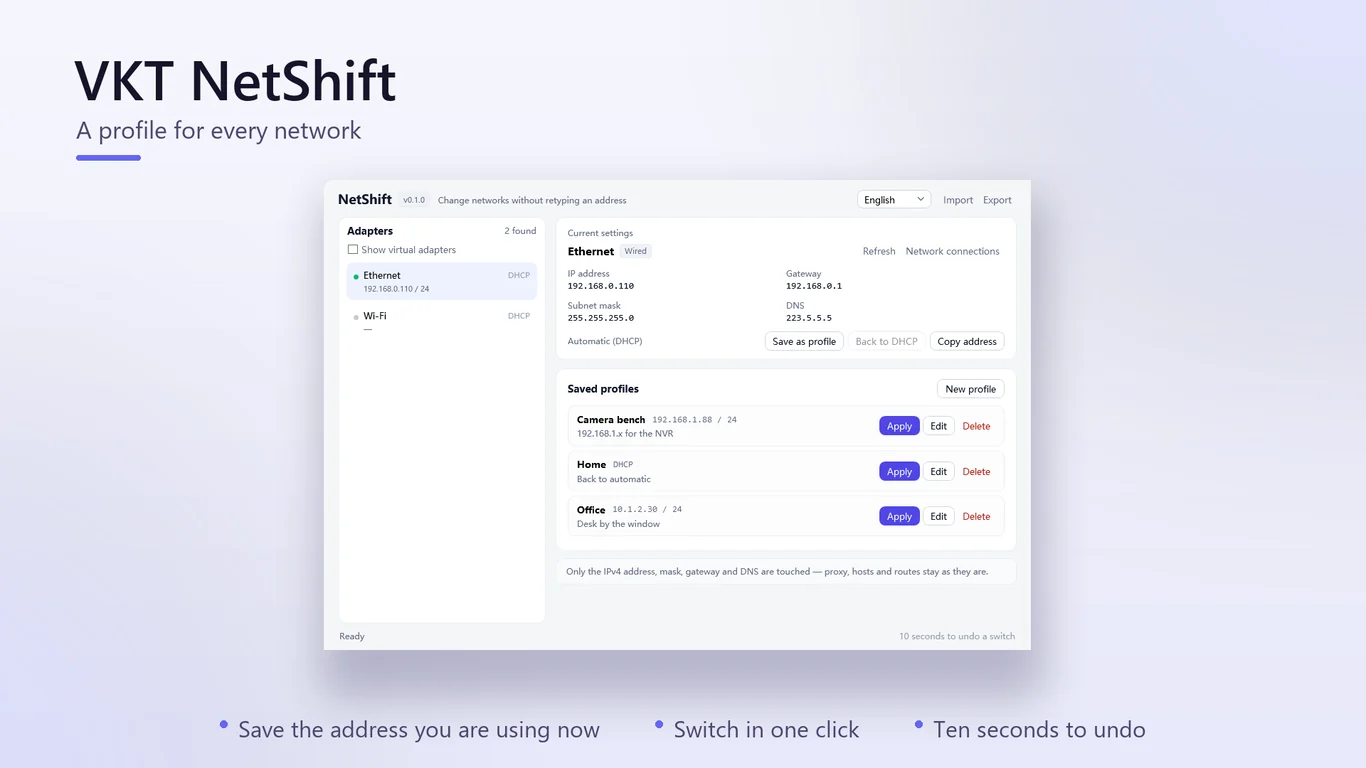
Left: the adapters on this machine. Right: the profile currently applied, and the ones waiting for a click.
What it does
A profile is a whole network, not just an address
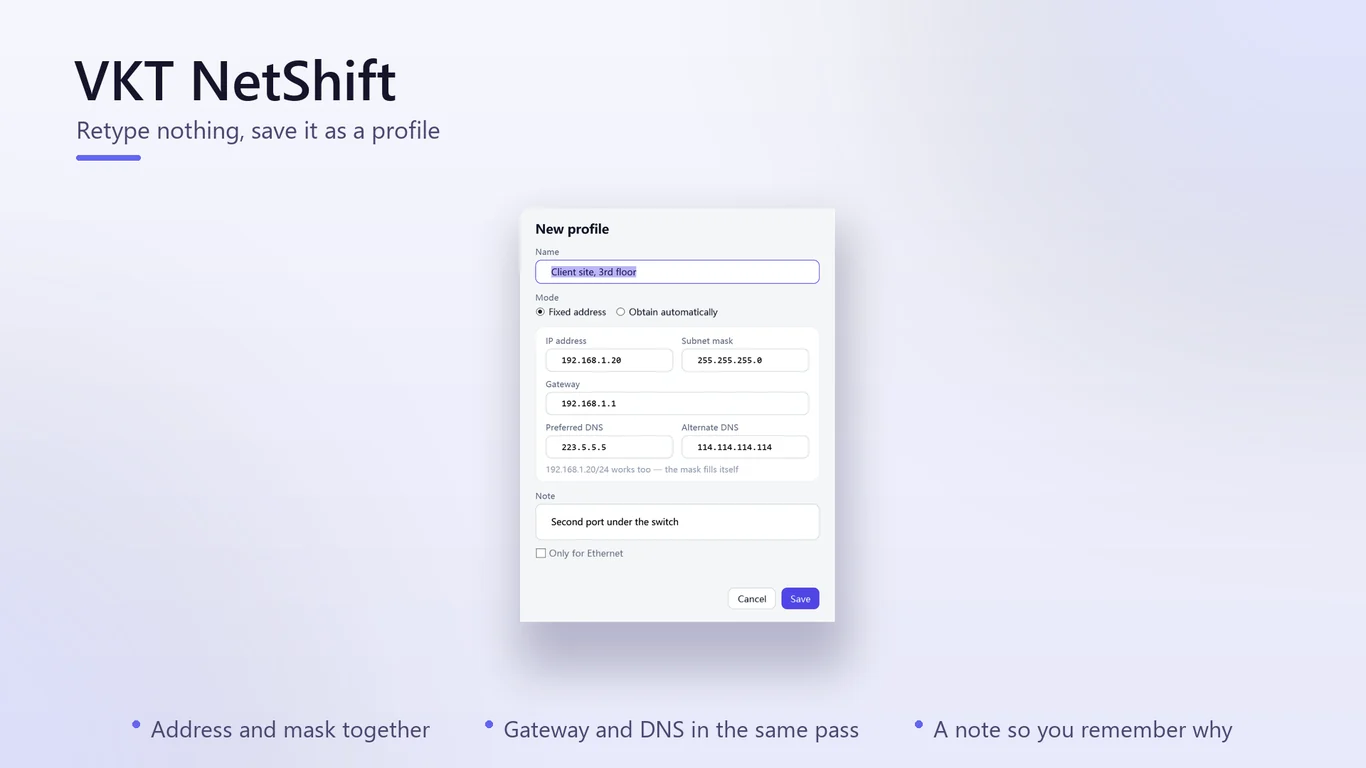
The address and its mask are stored with the gateway and both DNS servers, then written in a single pass. You never end up with the new address and the old gateway.
One UAC prompt, then the helper exits
The window runs as a normal user, so nothing sits in the background holding administrator rights. Only the small helper asks for elevation, and only while it is writing.
Ten seconds to change your mind
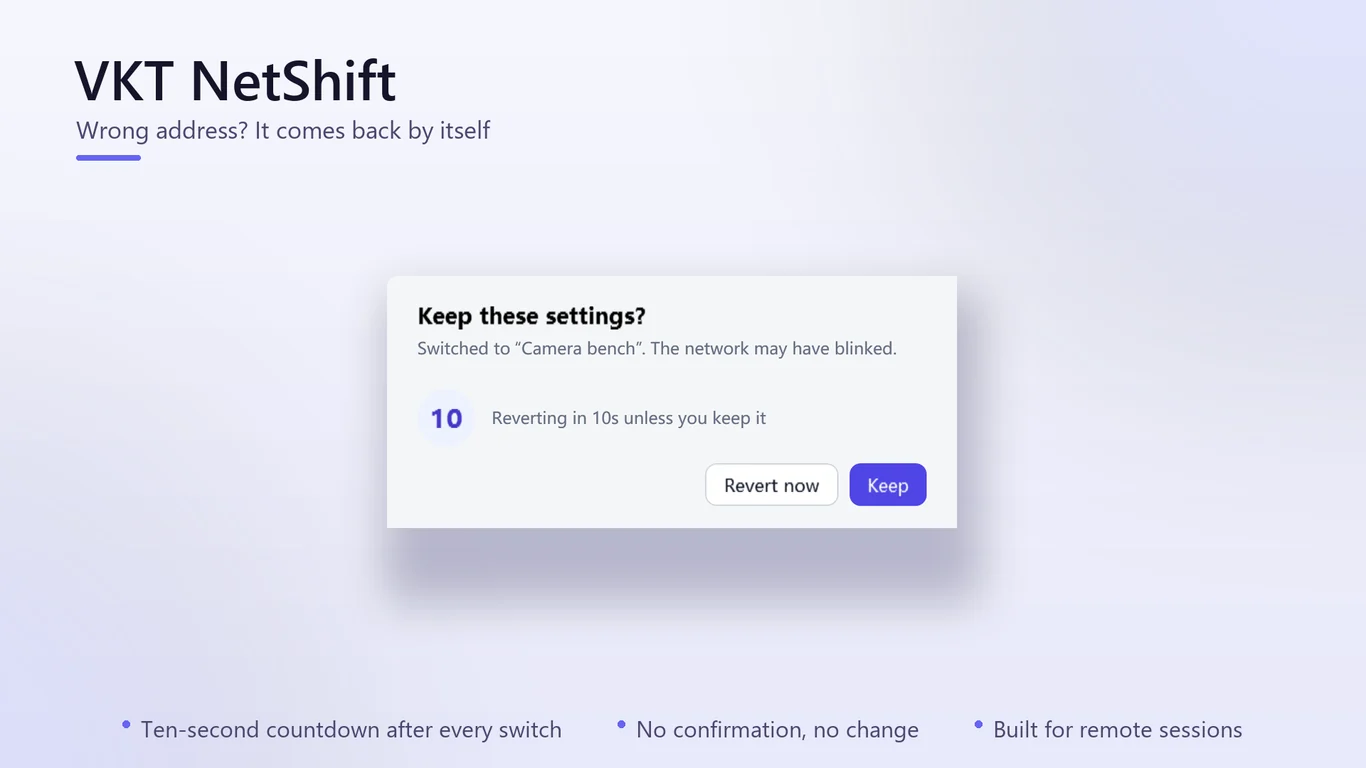
A countdown starts after every apply. Walk away, or find out the address was wrong, and the previous configuration is restored automatically. It is built for remote desktop sessions, where a wrong click means a lost connection.
It tells you whether the address actually works
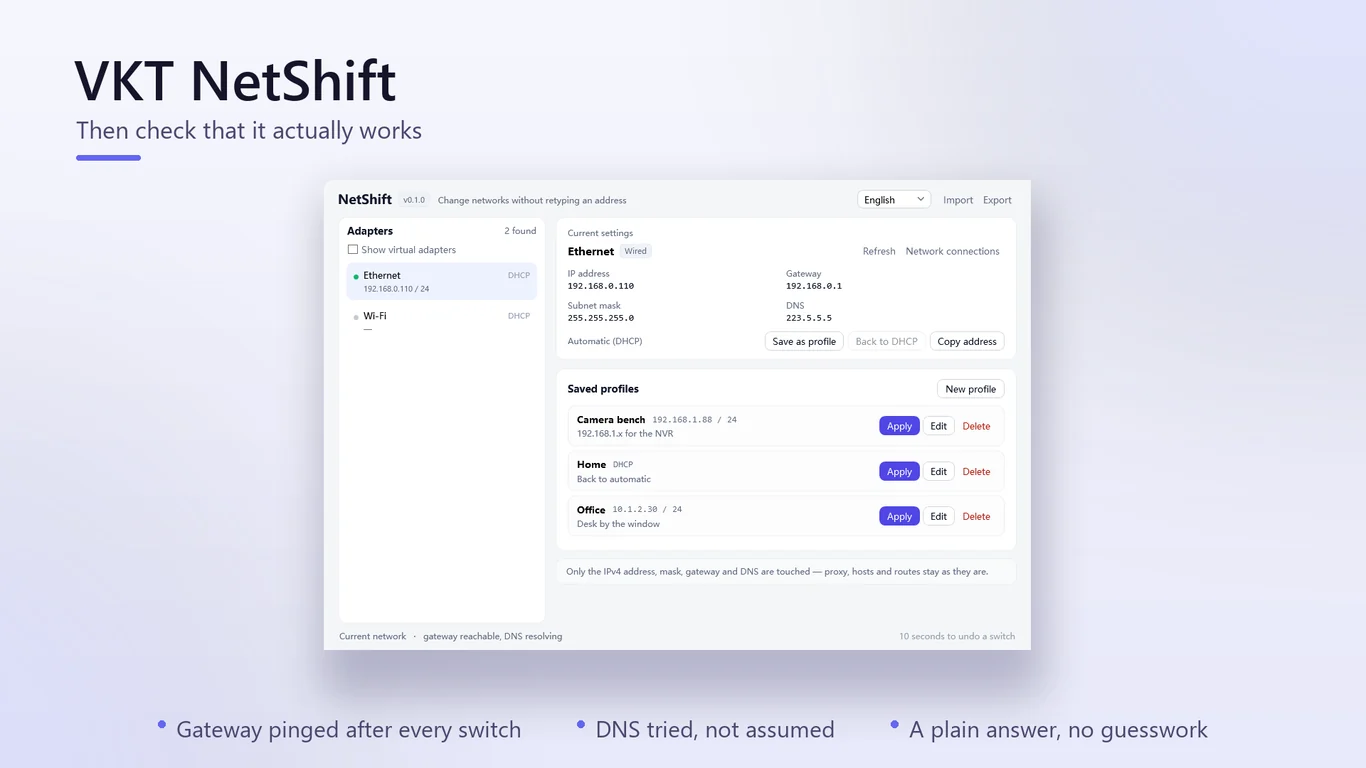
Once the values are in, NetShift pings the gateway and tries to resolve a name. The answer is plain: gateway reachable, DNS working, or neither.
Profiles travel as a file
A .vktnet file is plain JSON. Send it to the colleague standing at the same rack, and they import it instead of copying numbers down the phone.
From one network to another
-
1
Pick the adapter
Wired, wireless or a USB dongle. Virtual adapters from Docker and VPN clients are folded away by default, so the list stays short.
-
2
Save what you are using
One button turns the current settings into a profile. You can also type them by hand, which is what you will do for a site you have not visited yet.
-
3
Apply, then confirm
The helper writes the values, NetShift reads them back to be sure they took, and the countdown starts.
Where it fits, and where it does not
It earns its place when
- You are in front of a camera, a door controller or a label printer that expects a fixed address
- The laptop moves between two offices that never agreed on a subnet
- You want to hand a site's settings to a colleague as a file, not as a photo of a screen
- You have just changed something and need to know within seconds whether the network still answers
It is the wrong tool for
- IPv6. This release only touches IPv4
- Switching by itself when you join a Wi-Fi network. Planned, not shipped
- Pushing settings to a fleet of machines; there is no remote agent
- VPN, proxy or hosts file management, which belong to other tools
Specifications
- System
- Windows 10, 11 — 64-bit
- Runtime
- Self-contained; .NET is bundled
- Install size
- Under 2 MB
- Privileges
- Normal user for the window; one elevation prompt when applying
- Network
- None. NetShift makes no network requests of its own.
One licence, one computer
Seven days free with every feature unlocked, then a single payment unlocks it permanently. Move it to a new machine whenever you replace one.
The installer is not code-signed yet, so Windows SmartScreen may ask for confirmation: click More info, then Run anyway.
Launch price. It goes up to $25.99 after the launch period — buy now to keep this price for life.
Buy now — one-time DownloadBefore you download
I applied a profile and lost my remote desktop. Now what?
The countdown restores the previous settings after ten seconds if nobody confirms, but a dropped RDP session cannot click anything. Treat a remote machine with care: change the address from a local session, or over a link that does not depend on the adapter you are editing.
Can it break the adapter?
No. It writes the same values the Windows adapter dialog writes. Setting the adapter back to automatic, or restoring your previous profile, puts everything where it was.
Why does Windows ask for administrator rights?
Changing an address is a system-level operation, and Windows will not let a normal process do it. NetShift asks once per apply, through a separate helper that closes as soon as the write finishes.
Can it change a Wi-Fi adapter?
Yes, any adapter Windows lists, wireless included. What it will not do is decide for you which network you are on.
Stop reading addresses off a sticky note
Download it, save the settings you are on right now, and the next site is one click away.
Download — free 7-day trial