
Home / Mirvelle
Two folders that stay identical.
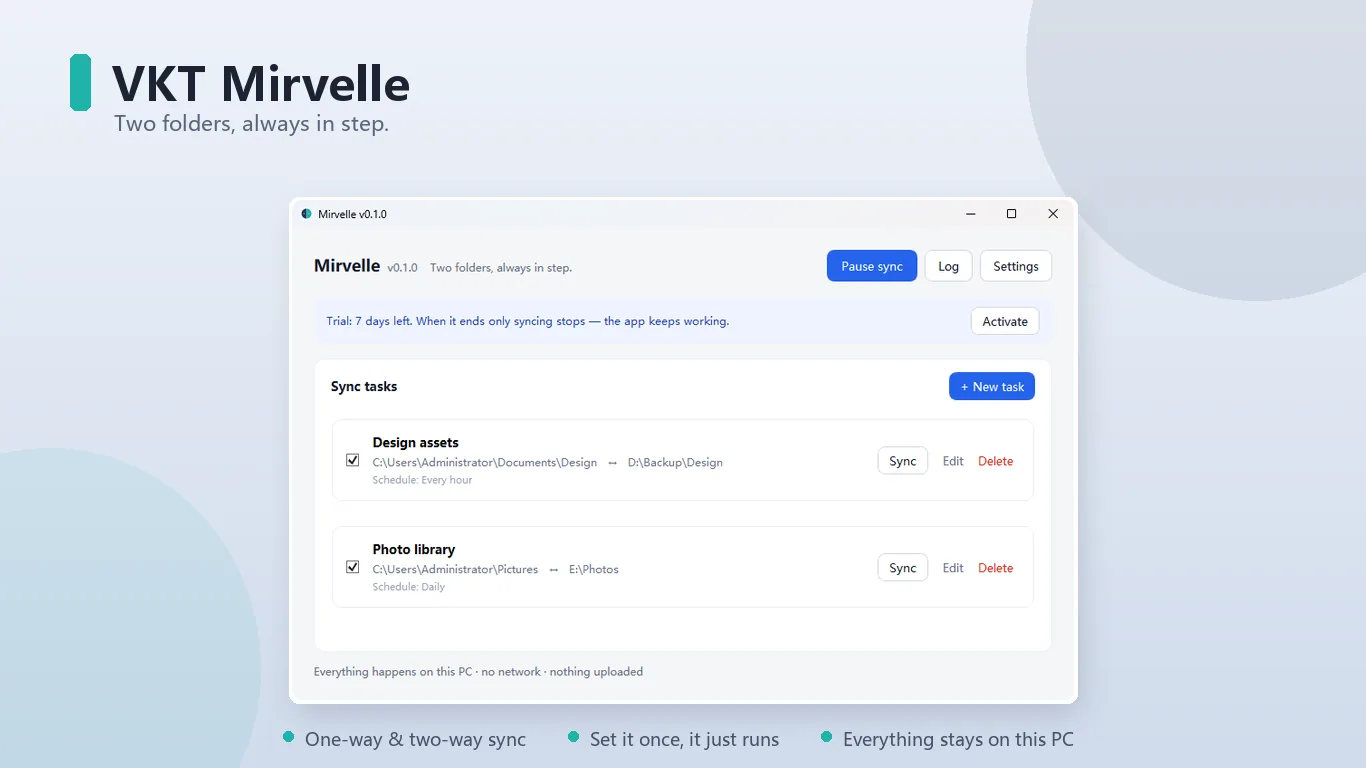
Mirvelle compares a source folder with a destination and shows you exactly what differs — new files, changed files, and files that only exist on one side. Nothing is written until you press apply, and only the differences move.
How it stays honest
Preview before writing
A scan produces a list, not an action: which files are new, which changed, which are identical, and which exist on only one side. You can exclude anything before applying.
Only differences move
Files that already match are skipped by content and timestamp, so a second run over a large folder finishes in seconds instead of copying everything again.
One direction, always
Mirvelle copies from source to destination and never the other way. A backup you cannot accidentally overwrite is worth more than a two-way sync that surprises you.
Nothing leaves the machine
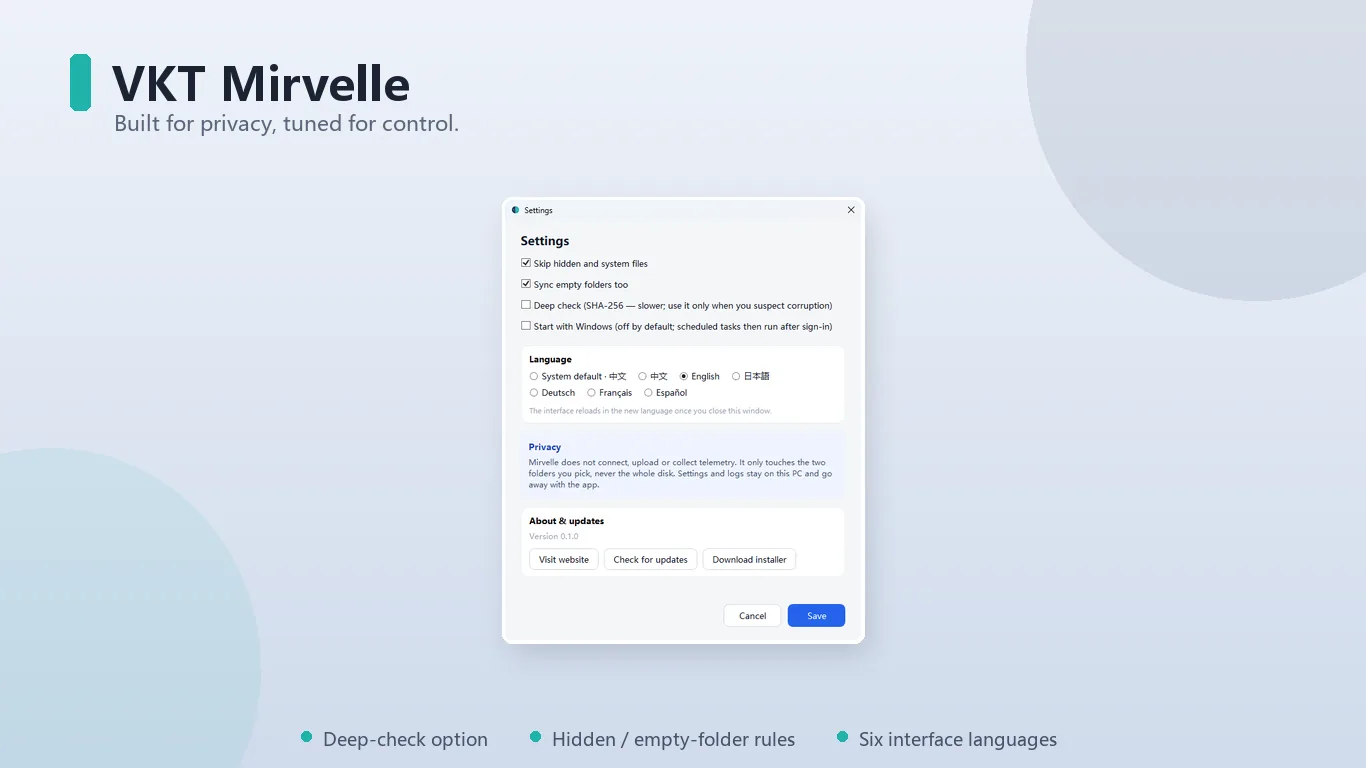
No account, no cloud, no telemetry on file names. The only network call is the licence check, which carries nothing about your files.
A run, start to finish
-
1
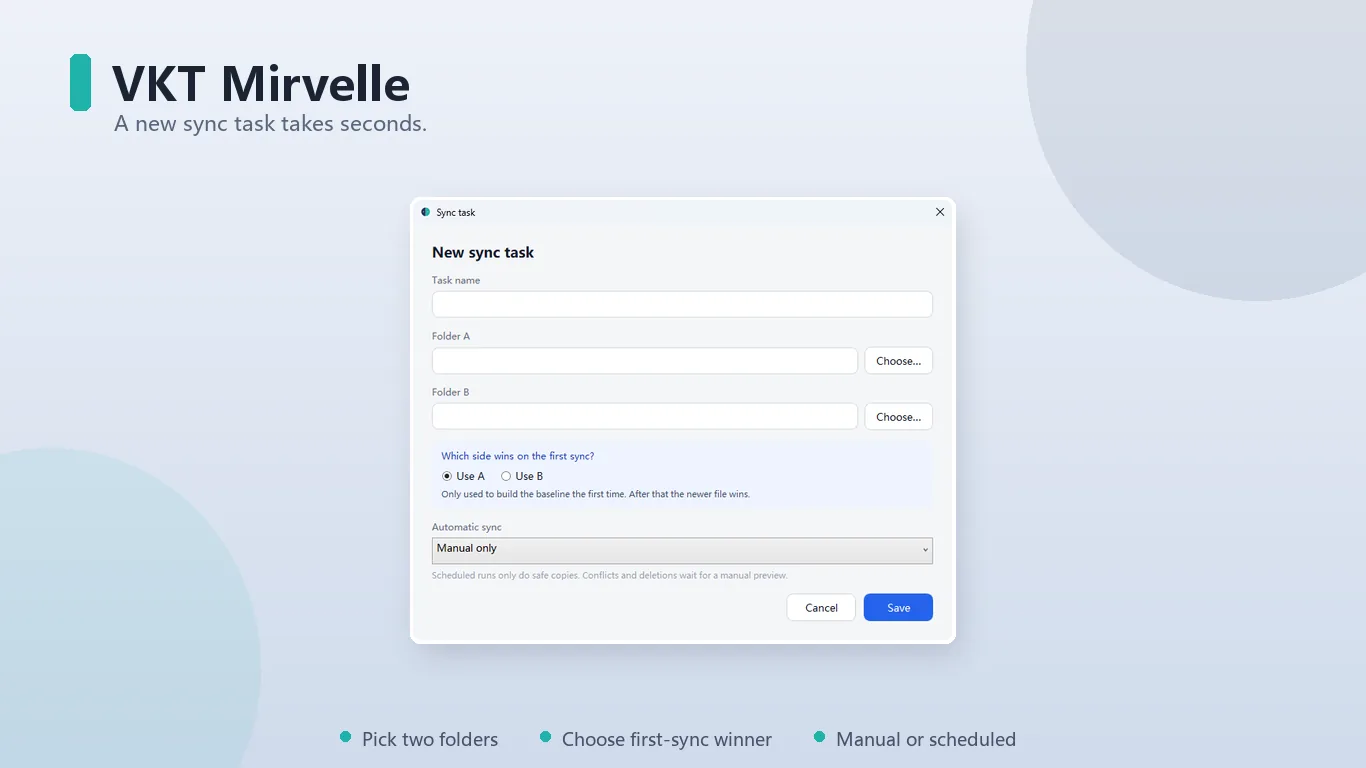
Point at two folders
Pick a source and a destination, either by browsing or by typing a path. UNC paths to a NAS work as long as it is mounted.
-
2
Read the diff
Mirvelle scans both sides and lists what would change, with sizes and dates. Uncheck anything that should not be copied this time.
-
3
Apply
Only the ticked differences are copied. A summary at the end reports what was written, skipped, and failed, so a partial run is never a mystery.
Where it fits, and where it does not
It is a good fit for
- Keeping a working drive and its USB backup in step at the end of the day
- Copying a project folder to a second disk without re-copying 40 GB of unchanged files
- Getting photos off a camera card into an archive folder, incrementally
- Any pair of local folders where one is clearly the master
It is not the right tool for
- Two-way sync — by design it only ever writes to the destination
- Cloud storage or network sync services; this is for mounted local paths
- Real-time watching; a run is started by you, not by a file change
- Version history or undelete — there is no archive behind it
Specifications
- System
- Windows 10, 11 — 64-bit
- Runtime
- Self-contained; .NET runtime is bundled
- Install size
- About 5 MB
- Privileges
- Normal user; elevation only needed to write into a protected destination
- Network
- Licence check only. Folder contents never leave the machine.
One licence, one computer
Seven days free with every feature unlocked, then a single payment unlocks it permanently. Move it to a new machine whenever you replace one.
The installer is not code-signed yet, so Windows SmartScreen may ask for confirmation: click More info, then Run anyway.
Launch price. It goes up to $29.99 after the launch period — buy now to keep this price for life.
Buy now — one-time DownloadBefore you buy
Does it delete files in the destination?
No. Mirvelle only adds and overwrites. Nothing is ever removed from either side, which is why it is safe to point at a backup drive that also holds other things.
Can I run it the other way round?
Yes — swap the two folders. The direction is defined by which side you nominate as source; it is not a two-way merge and never will be.
What about large files?
They are copied in a single pass with progress shown, and a cancelled run leaves the destination consistent — files already finished stay finished, the partial one is reported.
Does it handle long paths?
Yes, paths beyond 260 characters are supported on Windows 10 and 11 without changing a registry setting.
Point it at your two folders
The trial is the full product for seven days. No card, no email, nothing to cancel.
Download — free 7-day trial