
Home / KeyGuard
A keyboard that types, and nothing else.
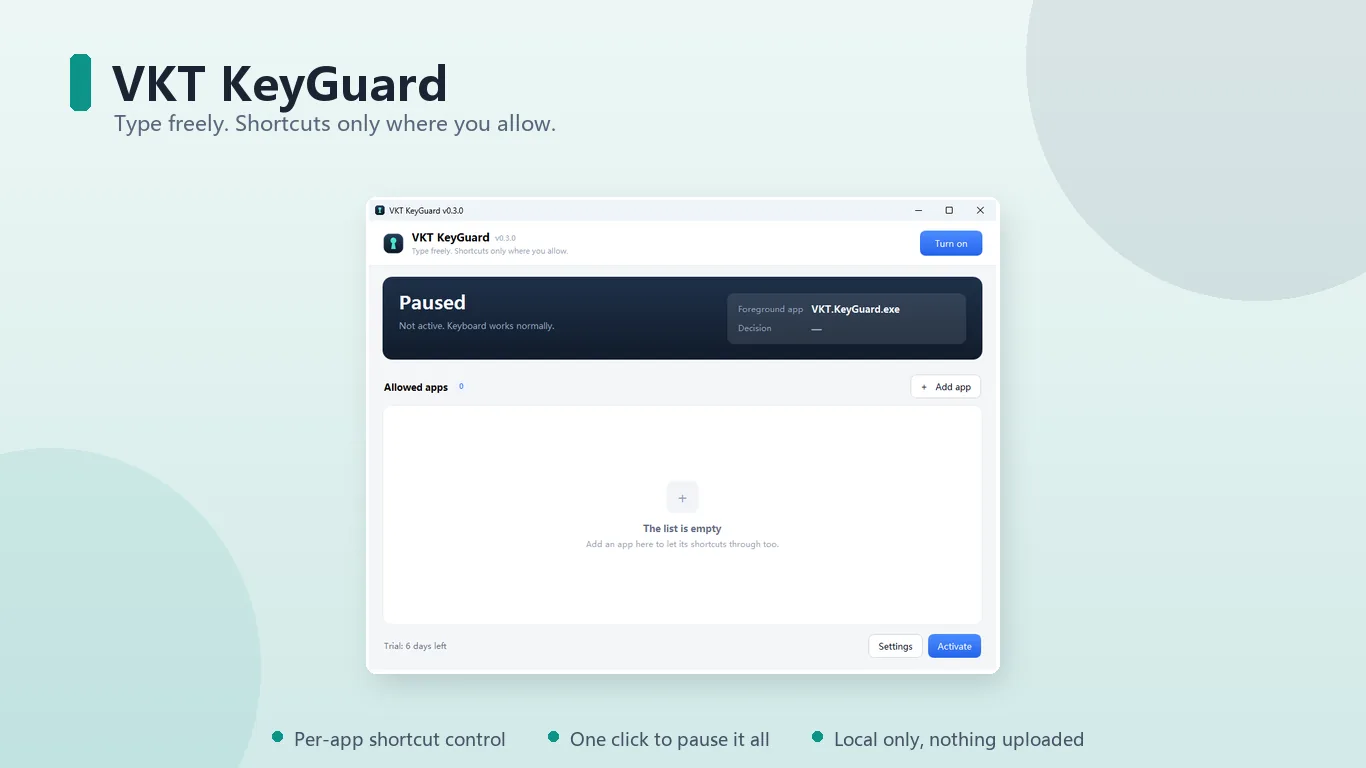
KeyGuard blocks the shortcuts that move data out of an application — copy, paste, cut, screenshot, drag and drop — while leaving every letter, number and arrow key untouched. Rules are set per application, so the rest of the desktop behaves normally.
What it actually blocks
The shortcuts that leak data
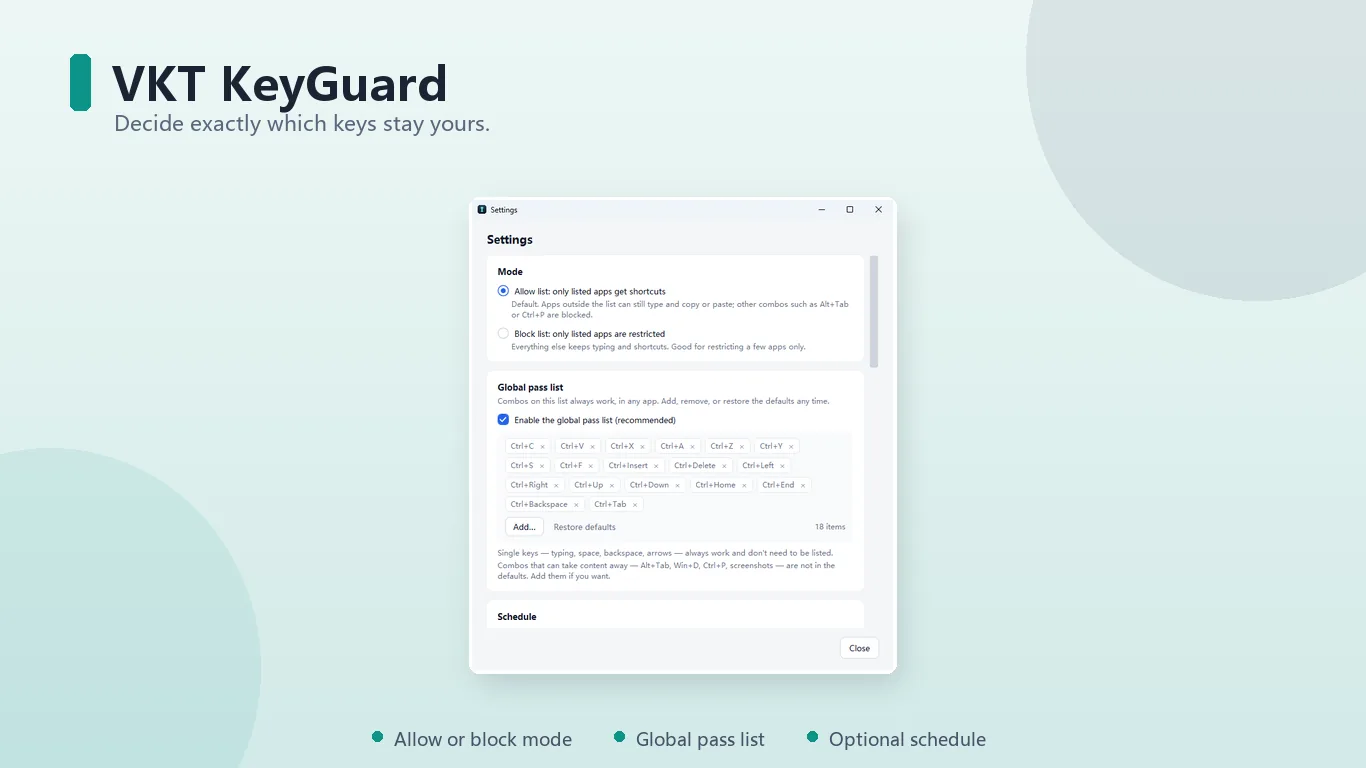
Ctrl+C, Ctrl+X, Ctrl+V, Ctrl+A, PrintScreen, Alt+PrintScreen and the Win-key combinations are swallowed inside a guarded app. Typing, navigation, Enter, Tab and Backspace keep working exactly as before.
Rules per application
A guard applies to one application at a time, matched by executable name or window title. Guard the terminal without touching the browser next to it, or the other way round.
Follows a schedule
Rules can be limited to working hours, so a locked-down workstation becomes a normal computer after 6pm without anyone changing a setting.
No driver, no kernel module
KeyGuard is a plain .NET desktop application using a standard low-level keyboard hook. Nothing is installed into the kernel, nothing survives an uninstall, and it does not require a reboot.
Setting it up
-
1
Pick the application
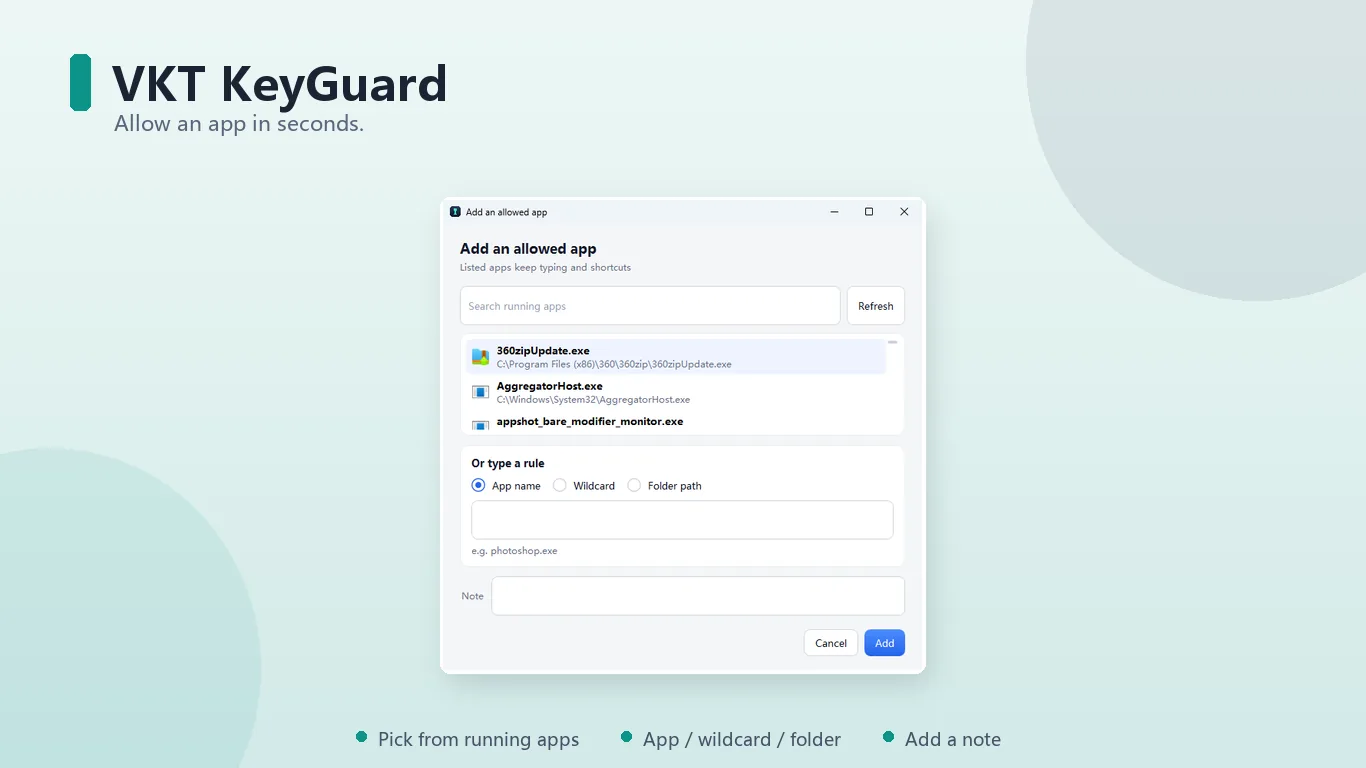
Start KeyGuard, click Add rule, then choose the app you want to guard from the list of running windows.
-
2
Choose what to block
Tick the shortcut groups to swallow. Copy and paste are on by default; screenshot and drag-and-drop are one click away.
-
3
Leave it running
KeyGuard sits in the tray. Rules take effect the moment an application comes to the foreground, with no restart of that application.
Where it fits, and where it does not
It is a good fit for
- Shared workstations where the next person should not paste last customer's data into a chat window
- Training and testing machines where screenshots should not leave the room
- Support desks that should read from the ticket system and nowhere else
- Any single application that should be able to display data but not export it
It is not the right tool for
- Stopping malware or a determined user — a hook-based guard is a policy, not a security boundary
- Blocking the whole computer at once; rules are per application by design
- Phones, Macs, or Windows on ARM
- Machines with no internet connection, because activation is online only
Specifications
- System
- Windows 7 SP1, 8.1, 10, 11 — 64-bit
- Runtime
- .NET Framework 4.7.2 or later (included in Windows 10 1803+)
- Install size
- Under 2 MB
- Privileges
- Runs as a normal user; installer asks for elevation once
- Network
- Licence check at start, then at most once a day. Only the key and a machine identifier are sent — never file content.
One licence, one computer
Seven days free with every feature unlocked. After that a key unlocks the app permanently — no renewal, no seat counting, and you can move it to a new machine whenever you replace one.
The installer is not code-signed yet, so Windows SmartScreen may ask for confirmation: click More info, then Run anyway.
Launch price. It goes up to $39.99 after the launch period — buy now to keep this price for life.
Buy now — one-time Download Get it on Microsoft StoreFree download from Microsoft Store. Activation works exactly like the installer on this page.
Before you buy
Does it block typing as well?
No. Only the shortcut combinations you select are swallowed. Letters, numbers, arrows, Enter, Tab, Backspace and Delete are passed through untouched, which is the whole point of the tool.
Can a user just close it?
Yes, unless you also restrict the app. KeyGuard is a policy tool for cooperative environments, not a tamper-proof lockdown. If you need to prevent closing, combine it with standard Windows group policy.
Does it work with remote desktop?
Inside an RDP session the hook sees the session's own keyboard stream, so rules apply to what happens in that session. Shortcuts handled by the local client before the session receives them are outside its reach.
Will it slow anything down?
The hook runs in-process with a single lookup per keystroke and exits immediately for unguarded applications. In normal use it is not measurable.
Try it on the machine you actually care about
The trial is the full product for seven days. No card, no email, nothing to cancel.
Download — free 7-day trial